- How do I edit my profile?
- How do I change my search criteria?
- How do I change my notification settings?
- How do I change the language?
- How do I change the visibility of my contact details?
- I haven't received my security code. What can I do?
- How do I delete my account?
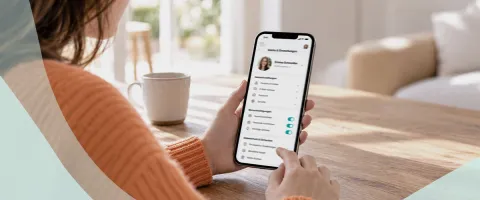
Here you'll find all the information you need about your account, settings and profile management.
How do I edit my profile?
You can edit and update most of the information in your profile at any time. This ensures that other au pairs or host families see up-to-date information about you.
- Profile text
- Photos
- Profile video
- Interests
- Experience
- Availability
Some personal details may be locked after your identity verification, as they must match the information on your identity document.
We recommend keeping your profile up to date so that other users get an accurate and current impression of you.
How do I change my search criteria?
You can adjust your search criteria at any time. Changes to your search criteria do not affect your profile.
If your plans or preferences change, you can adjust your search accordingly, including:
- Preferred host countries
- Timeframe and length of stay
- Age
- Languages
- Other personal preferences
AuPairWorld takes your current search criteria into account when providing future suggestions.
How do I change my notification settings?
In your settings, you can choose which notifications you would like to receive from AuPairWorld.
You can change your notification settings at any time and customise which information you would like to receive.
How do I change the language?
You can change the platform language in your settings.
Once you've changed the language, menus, buttons and system text will be displayed in your selected language, where available.
Content created by other users, such as profile descriptions or messages, will not be automatically translated.
How do I change my contact sharing settings?
Under Settings → Share contact details, you can choose at any time whether your email address and verified phone number can be shared.
Contact sharing is disabled by default. If you enable it, your email address and verified phone number can be shared with your au pair or host family.
Your consent also applies to future agreements.
This means you won't be asked again for each new agreement. You can change your preferences at any time under Settings → Share contact details.
I haven't received my security code. What can I do?
First, check that you've entered the correct phone number and that your mobile phone can receive messages. You can then request a new code.
- Check the phone number you entered, including the country code.
- Make sure your mobile phone has reception.
- Wait a moment and then request a new code.
If you're still unable to log in, contact AuPairWorld Support.
How do I delete my account?
You can delete your AuPairWorld account through your account settings.